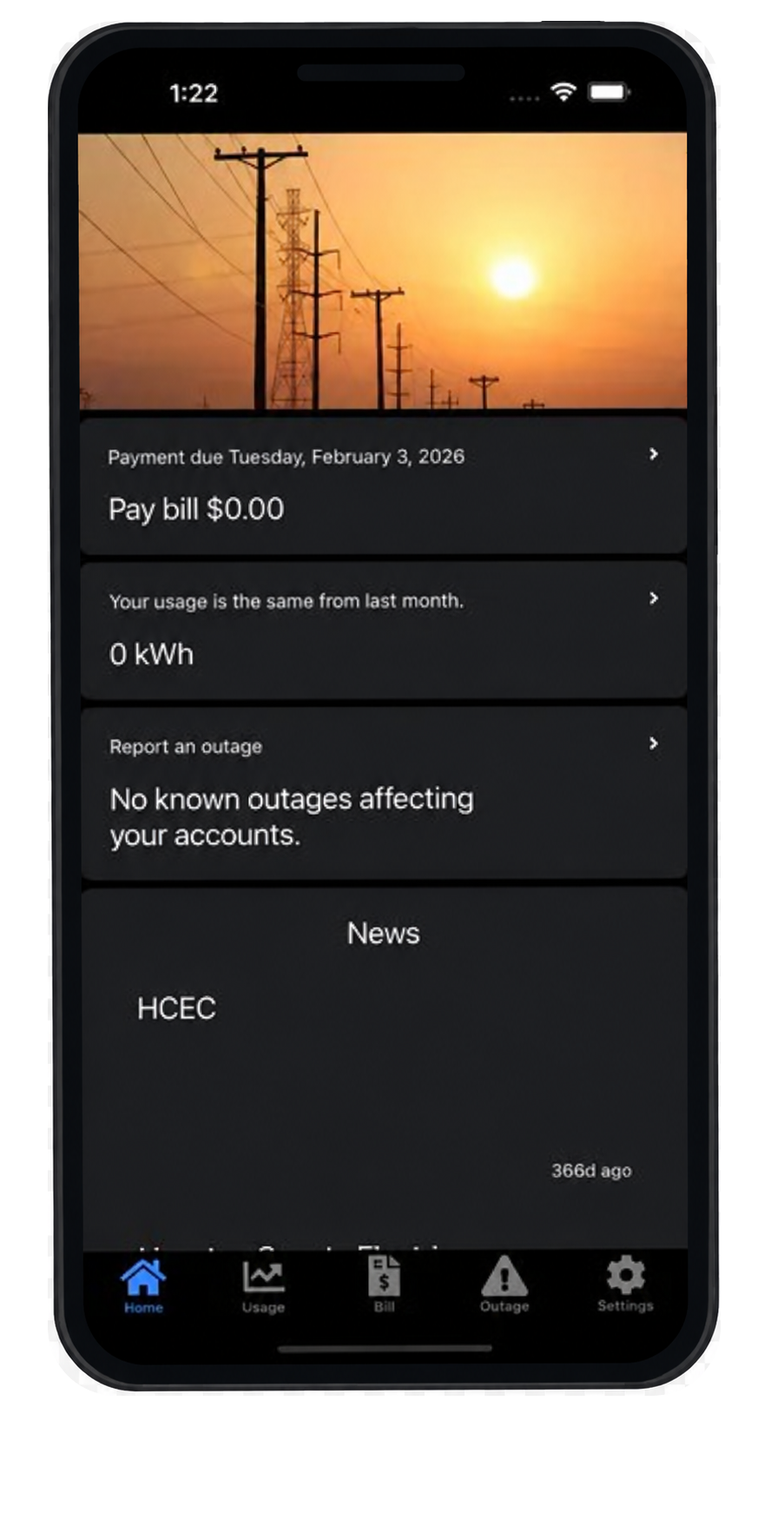
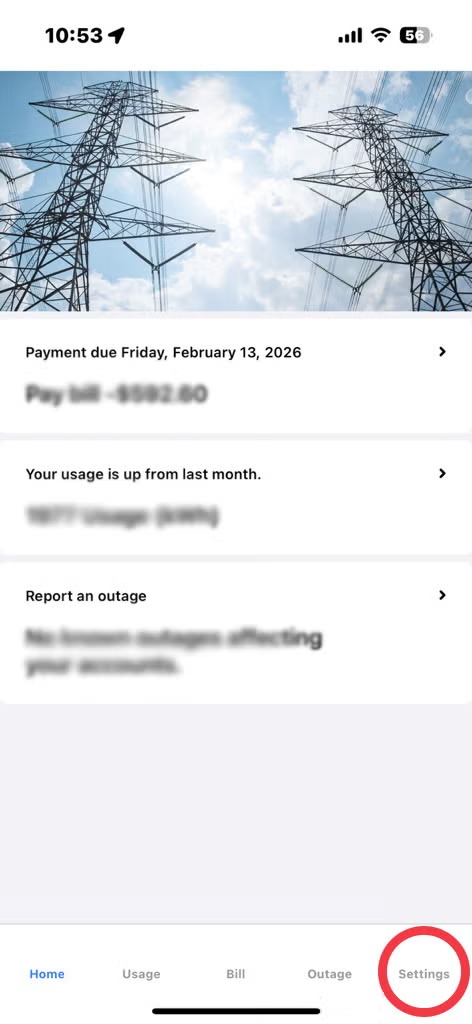
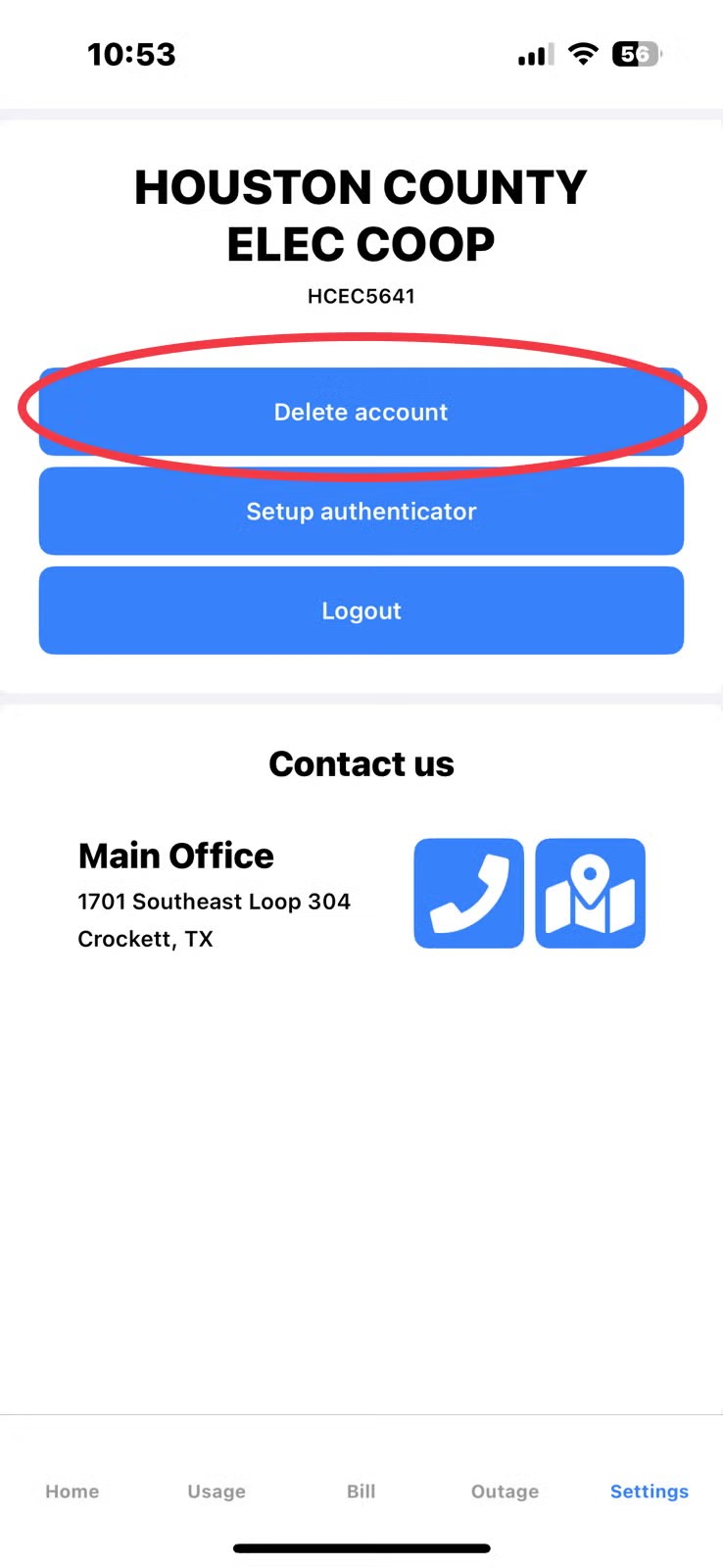
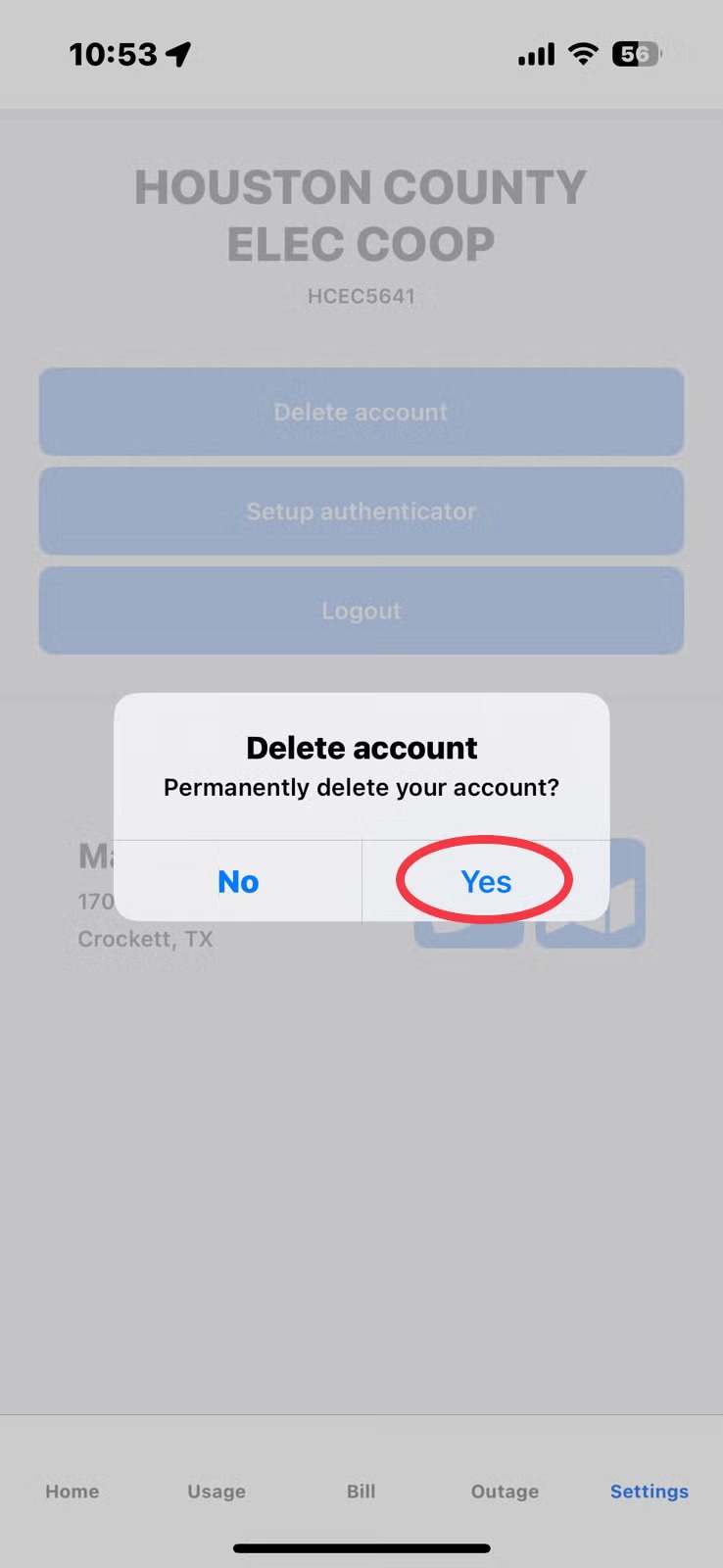
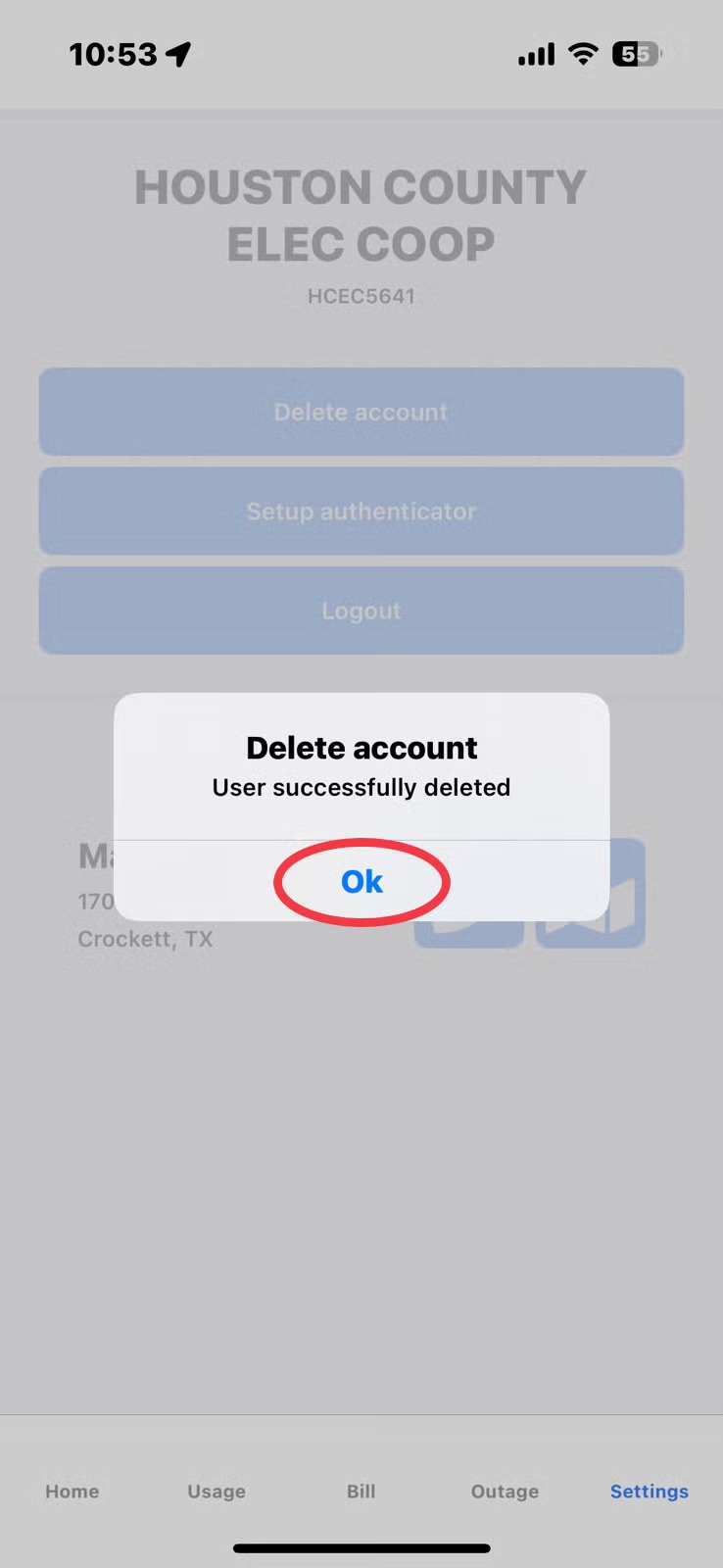
myHCEC Mobile App Image Download the myHCEC Mobile App Manage your electric account from your phone. Pay your bill, monitor energy use, and report an outage in just a few taps. Need to delete your app account? View account deletion instructions Deleting Your App AccountTable of ContentsStep 1: Log in to your AccountStep 2: Select 'Delete Account'Step 3: Select 'Yes' to Delete Your AccountStep 4: Confirm Your Account is DeletedSend an email to billing@houstoncountyelec.com to request that your account be removed from the app. Please provide your account number in the email. Step 1: Log in to your Account Step 1: Log in to your AccountLog in to your account and select ‘Settings’. Image Step 2: Select ‘Delete Account’ Choose ‘Delete Account’ located on the App's Settings Page. Step 3: Select ‘Yes’ to Delete Your Account. Select the ‘Yes’ option to delete your account. Step 4: Confirm Your Account is Deleted Check 'Okay' to confirm your account has been deleted.
View account deletion instructions Deleting Your App AccountTable of ContentsStep 1: Log in to your AccountStep 2: Select 'Delete Account'Step 3: Select 'Yes' to Delete Your AccountStep 4: Confirm Your Account is DeletedSend an email to billing@houstoncountyelec.com to request that your account be removed from the app. Please provide your account number in the email. Step 1: Log in to your Account Step 1: Log in to your AccountLog in to your account and select ‘Settings’. Image Step 2: Select ‘Delete Account’ Choose ‘Delete Account’ located on the App's Settings Page. Step 3: Select ‘Yes’ to Delete Your Account. Select the ‘Yes’ option to delete your account. Step 4: Confirm Your Account is Deleted Check 'Okay' to confirm your account has been deleted.